TRACE / CONNECTED PROJECT WORKFLOWS
Construction Cost & Contract Management
Connect budgets, changes, payment applications and the supporting contract record.
Capabilities depend on module, access, source readiness and configured services. TRACE prepares and explains; authorized people approve.
Platform: commercial and contract controls 12 entries
Connect billing, cost and change records to their supporting evidence and authority.
Module and source availability apply- Schedule of values
Structure progress billing and maintain supported line allocations.
- Payment applications
Prepare progress applications with supporting records and review/payment clocks.
- Certification controls
Use supported content-bound, two-person certification and structural validation.
- Compliance withholdings
Track supported withholding amounts separately from the operation of the payment clock.
- Change orders
Keep approval and contract incorporation as distinct actions.
- Contract growth
Associate approved changes with SOV allocation while preserving the original contract value.
- Cost codes and budgets
Maintain budget, commitments, actual cost, forecast and variance records with attributable revisions.
- Timesheets
Record crew and equipment hours by cost code with supported approval.
- Trade partners and subcontracts
Maintain project partners and subcontract records.
- Credential windows
Evaluate entered license, registration, bond and insurance effective/expiry dates against the recorded work date.
- Releases and waivers
Manage configured release records and claimant exposure.
- Stop payment notices
Track notice-related withholding separately from release exposure.
Legal and financial determinations require the controlling project terms and authorized review. Recorded credential windows are not a live licensing-board verification.
Source and availability details ↗See the workflow with your team.
Use a working session to review the records, responsibilities and configuration your project needs.
SEE IT IN TRACE
Open the screen. Follow the work.
See the TRACE workspace behind this capability, with its related navigation expanded and the project record in view.
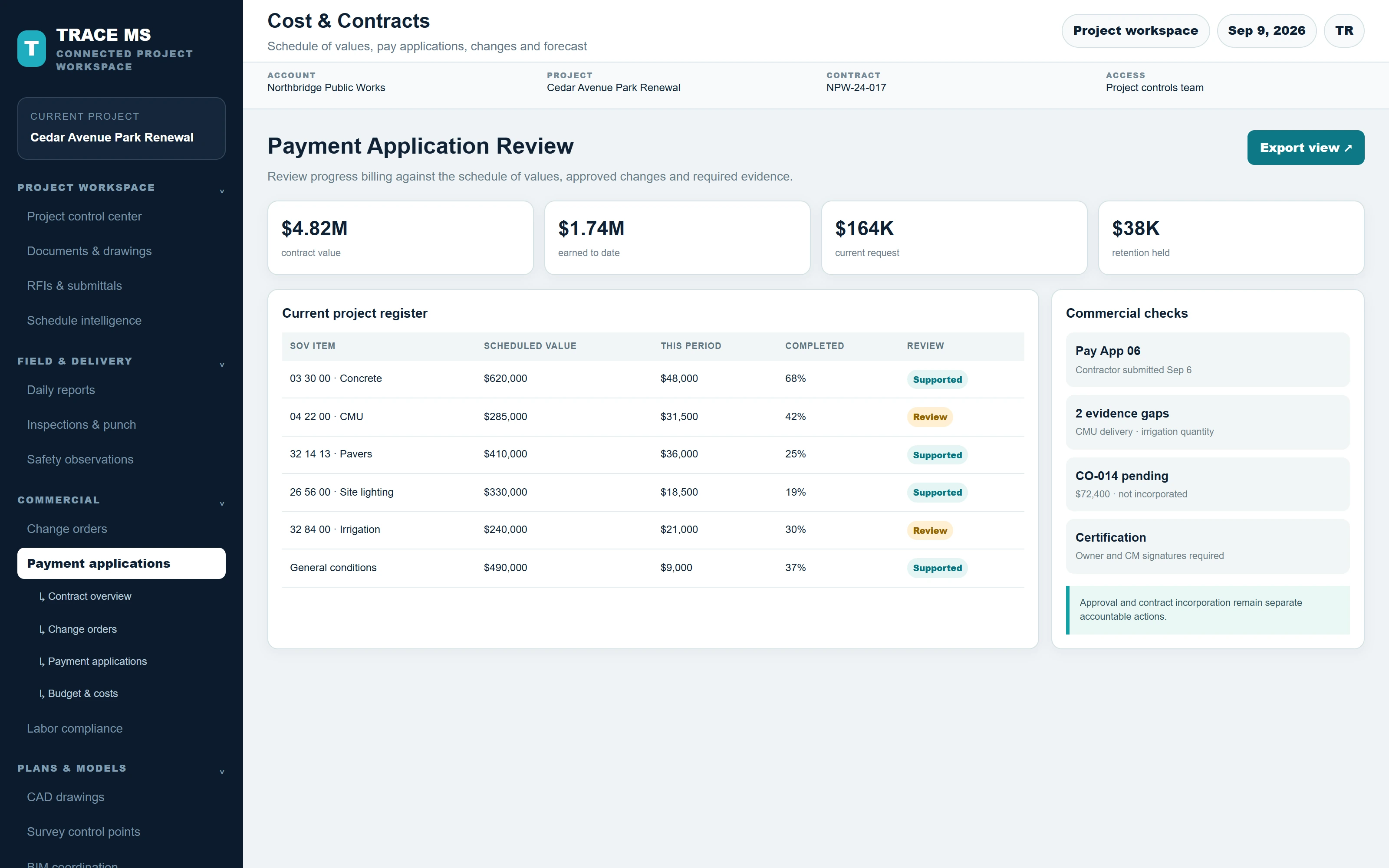
TRACE interface shown with the Cedar Avenue Park Renewal sample project. Menus and capability names match the TRACE workspace. The complete screen scales to the device width.